Bank Reconciliation Excel Report

$9.45

Overview

Introducing our Bank Reconciliation module – your key to financial accuracy and streamlined record-keeping! This essential tool generates a comprehensive Bank Reconciliation Statement, meticulously comparing your company’s cash balance on the balance sheet with the corresponding bank statement amount. Identifying discrepancies and ensuring accurate financial records is now effortless.

In certain organizations, the need arises to customize and edit these reconciliation statements before printing. Our module addresses this need seamlessly. With user-friendly features, you can edit and format your Bank Reconciliation Statements effortlessly.

Stay ahead in your financial game with our module – where precision meets convenience

Category: Tags: ,

Description

How to use this module”Bank Reconciliation Excel Report”


“Ensure you install the ‘report_xlxs’ base module before installing this module. Also, enable the ‘Show accounting full features’ option for the user.”
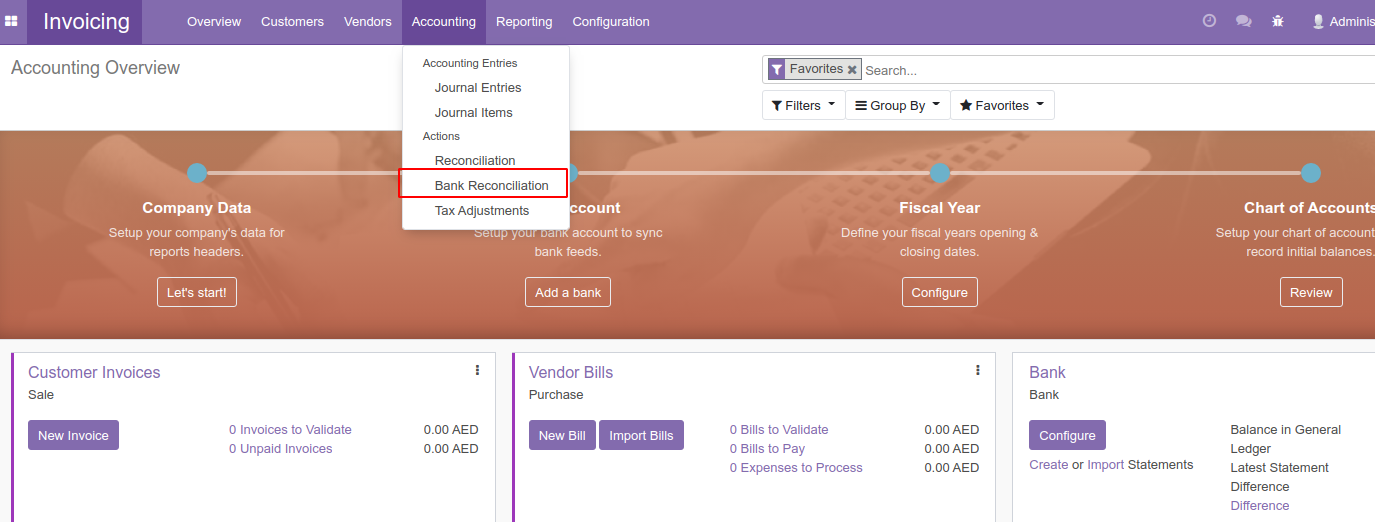
“After installation, a new menu titled ‘Bank Reconciliation’ will appear in your accounting menu.”

“Upon accessing the Bank Reconciliation form, you are required to input the bank statement details.”
 

“When the data is prepared, you can print it in Excel format from the print menu.”
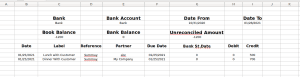
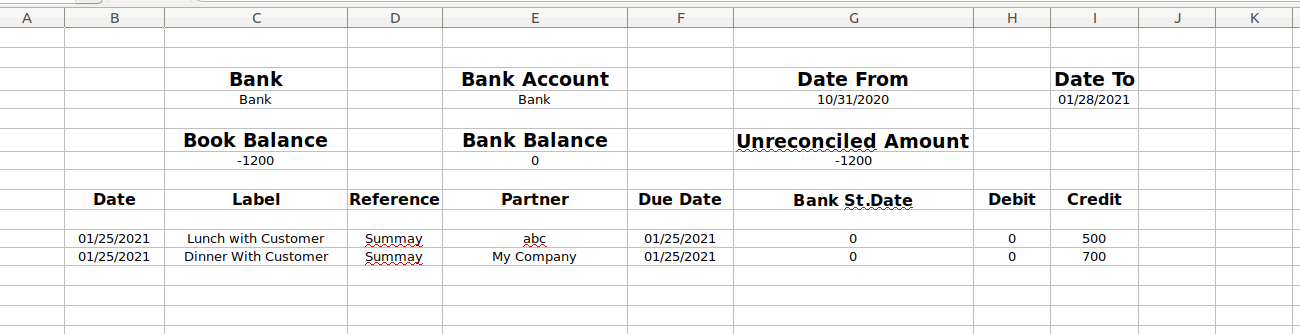
“An Excel report containing the entered data is now prepared and available.”


Reviews

There are no reviews yet.

Be the first to review “Bank Reconciliation Excel Report”

Your email address will not be published. Required fields are marked *

Reviews

There are no reviews yet.

Be the first to review “Bank Reconciliation Excel Report”

Your email address will not be published. Required fields are marked *